

Authenticator & Password Manager
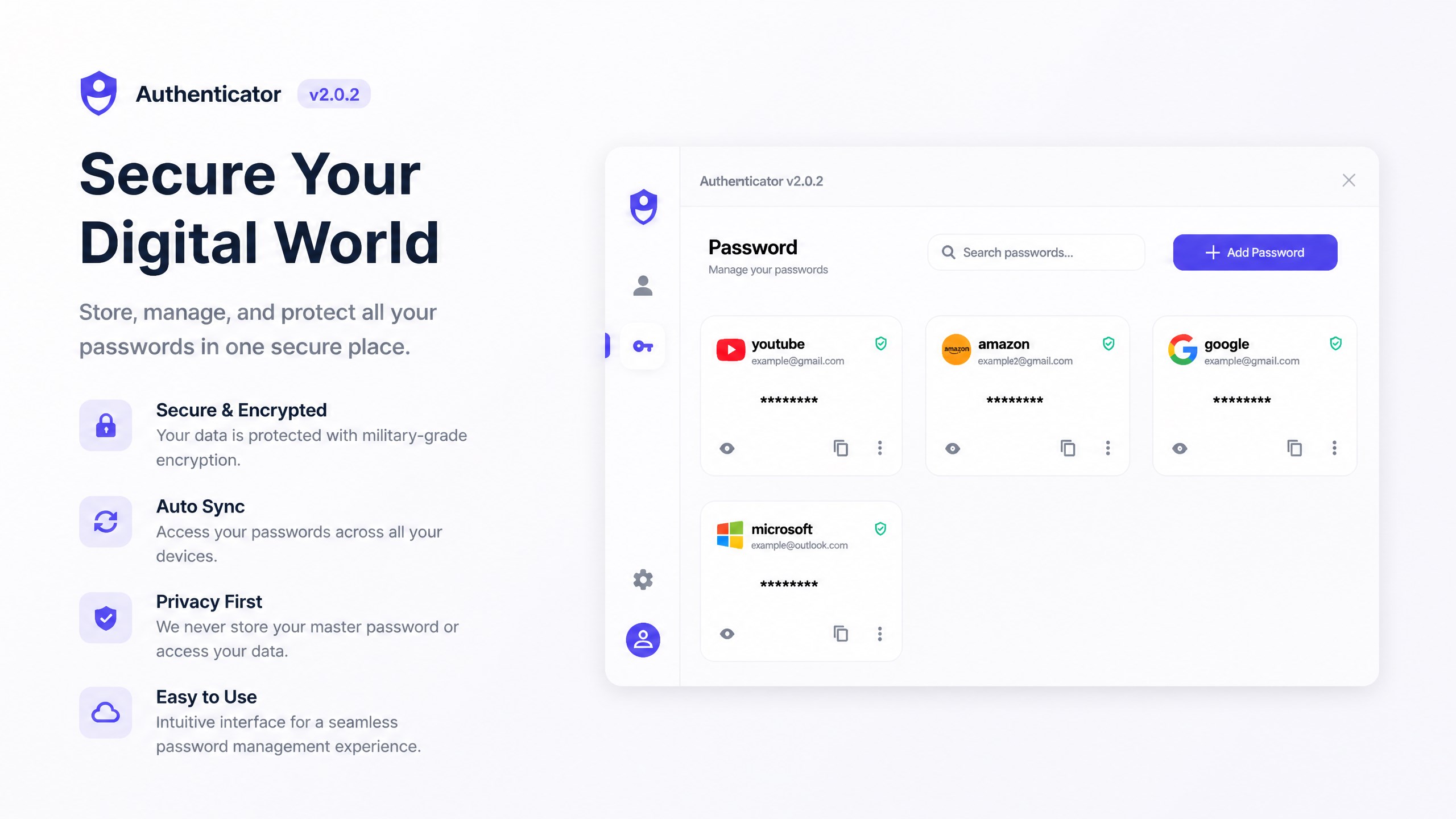

An in-depth review of the Authenticator & Password Manager app for Windows. Learn how this security tool protects your digital accounts with 2FA.
The Modern Cybersecurity Dilemma
In an era where data breaches are commonplace, relying solely on standard passwords is a significant security risk. The Authenticator & Password Manager security tool addresses this critical issue by combining two-factor authentication (2FA) and password management into a single, cohesive Windows application. Developed by DeepThink, this software provides a dual-layer defense mechanism to safeguard your personal and professional digital identities.
Robust Two-Factor Authentication
The primary function of the Authenticator & Password Manager security tool is to generate secure, time-sensitive one-time passcodes (TOTP) for your online accounts. It supports industry-standard protocols, making it compatible with major global platforms including Google, Microsoft, Apple, Facebook, and Amazon. By generating these verification codes locally on your Windows device, the application ensures high-speed access and minimizes the risk of interceptive online attacks.
Integrated Password Generation and Storage
Beyond its authentication capabilities, this tool features a built-in password manager. It solves the common problem of password fatigue by creating highly complex, unique passwords for every service you use. Because the app stores these credentials securely, you no longer need to memorize intricate strings of characters to maintain robust security practices.
Is This Security Tool Right for You?
This software is particularly suited for Windows users who prefer managing their digital security from a desktop environment rather than relying entirely on mobile devices. It offers a clean, straightforward interface designed for speed and reliability. Please note that while the application is free to download, the free version has a limit on the number of passcodes and credentials you can store. Users requiring unlimited storage will need to upgrade to the Pro version.
Conclusion
The Authenticator & Password Manager security tool offers a practical, local solution for securing your online presence on Windows. By consolidating credential storage and 2FA code generation, it streamlines daily logins without compromising safety. To explore its interface and feature set, visit the official Microsoft Store to download the application on your device.