

WorldWideWeb – Desktop
Read our comprehensive review of WorldWideWeb – Desktop, a lightweight, sandbox-secure local web server designed for macOS developers to test APIs and sites.
Why WorldWideWeb – Desktop is the Ultimate Local Testing Tool
For macOS developers, setting up a local testing environment often means wrestling with complex configurations or heavy backend dependencies. WorldWideWeb – Desktop local web server solves this friction instantly. Created by The Iconfactory, this lightweight application turns your Mac into an efficient, zero-configuration local server, allowing you to test code, mock APIs, and view directories without the overhead of Apache, nginx, or external scripting runtimes.
A Modern Tribute to Web History
The app’s name pays homage to the very first web browser and editor developed by Tim Berners-Lee in 1989 on his NeXT computer. While it honors the pioneering spirit of the early web, this modern utility is built entirely on the robust native frameworks that power today's macOS ecosystem. It is designed specifically for engineers who need to preview HTML, CSS, and JavaScript files locally before deploying them to live production servers.
Key Features of the WorldWideWeb – Desktop Local Web Server
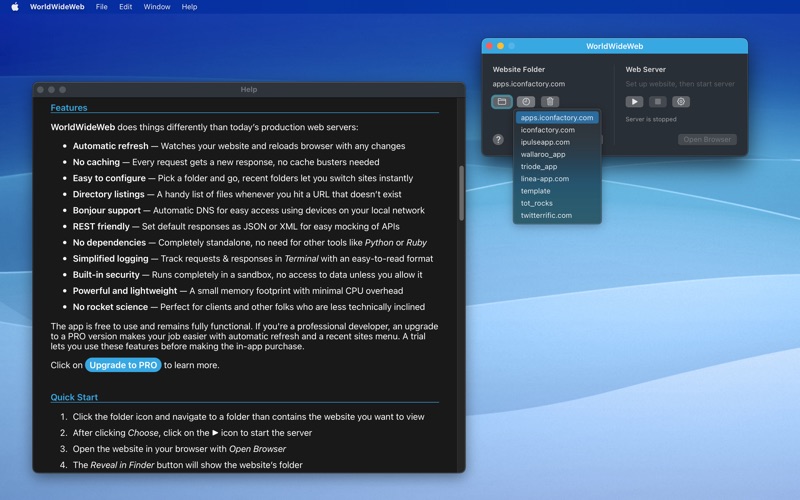
- Zero-Caching Architecture: Say goodbye to aggressive browser caching. Every single request bypasses the cache to deliver a fresh response, eliminating the need for cache-busting workarounds.
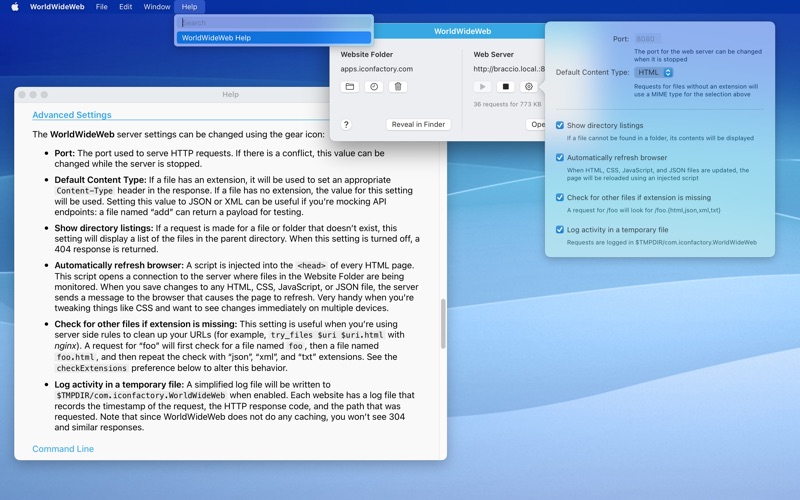
- Seamless API Mocking: Built-in REST support allows you to easily set default responses in JSON or XML, making it an excellent companion for iOS developers testing network calls.
- Instant Bonjour Integration: Share your local server automatically across your local network via Bonjour, allowing seamless testing on physical iPhones, iPads, or other local devices.
- Sandboxed Security: The server runs entirely within a secure macOS sandbox. It cannot access any system files unless you explicitly grant permission, keeping your development machine secure.
- Simplified Terminal Logging: Keep track of incoming traffic with clean, human-readable request and response logs printed directly to a terminal interface.
Who is This Local Server For?
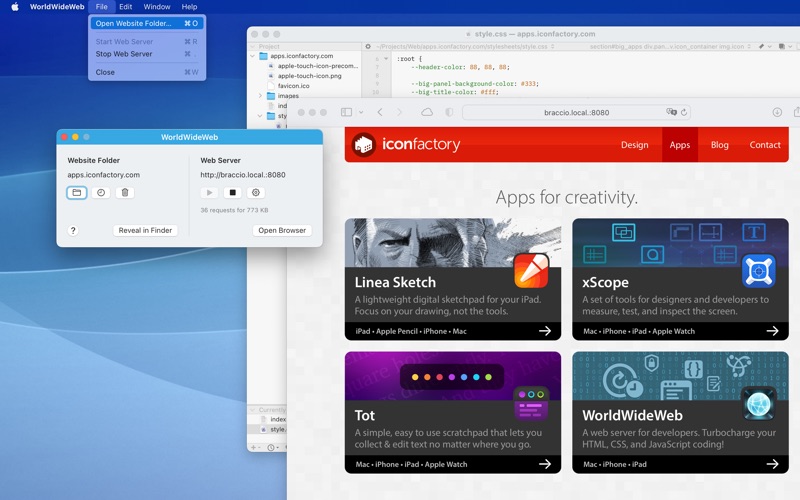
If you regularly work on flights, trains, or in locations with unreliable internet access, the WorldWideWeb – Desktop local web server lets you maintain your development workflow completely offline. It is also an exceptional tool for presenting live mockups to clients without needing to configure complex staging environments. Because of its lightweight footprint, it consumes minimal CPU and memory resources, keeping your Mac running cool and fast.
Our Verdict
The Iconfactory has delivered a beautifully streamlined utility that strips away the complexity of local web hosting. By focusing on speed, native macOS performance, and sandbox security, it provides exactly what developers need without any unnecessary bloat. To add this streamlined tool to your development workflow, visit the official Mac App Store to get started.