

YTMDesktop: Desktop Player for YouTube Music
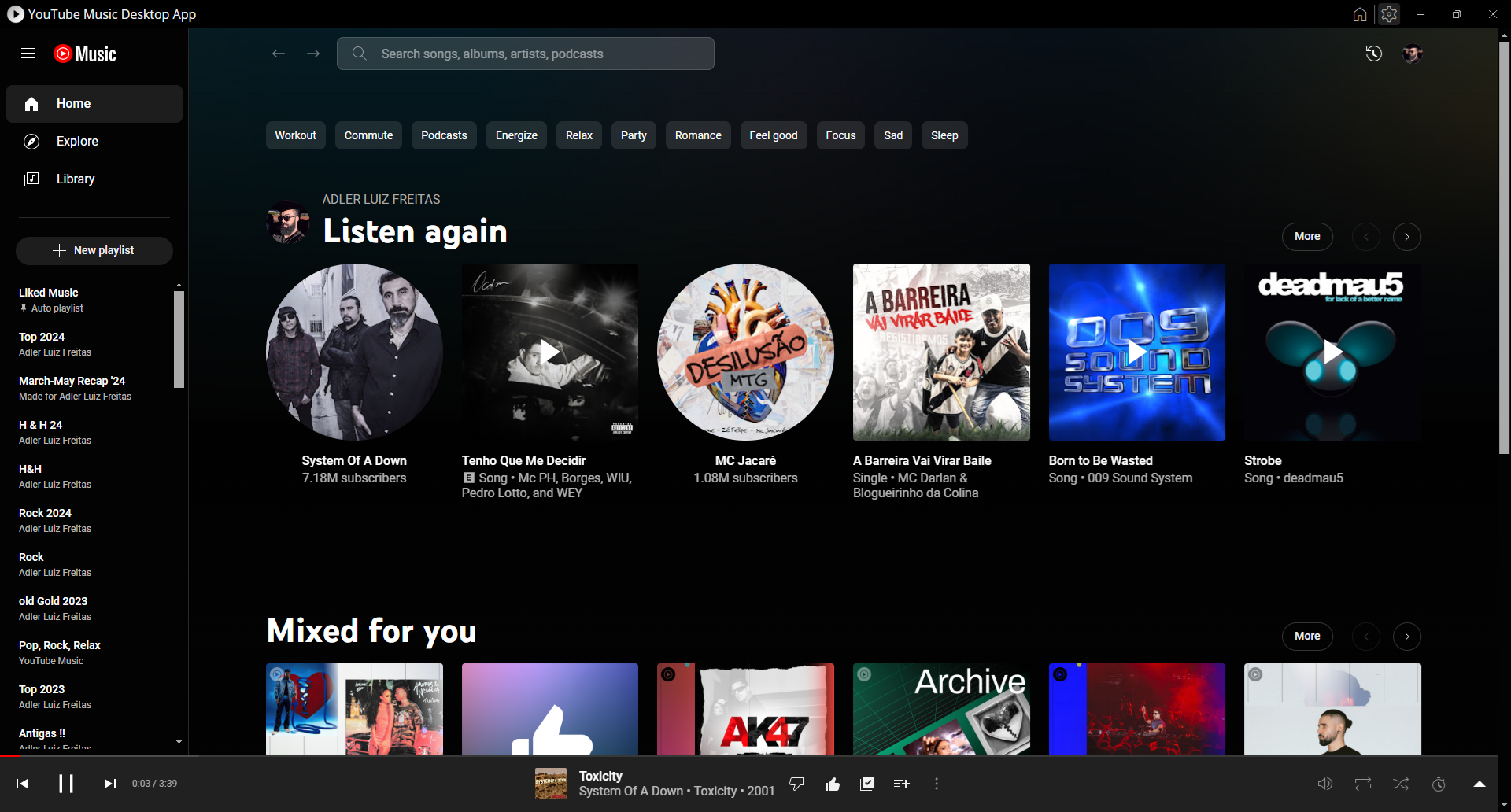
An in-depth review of the YTMDesktop YouTube Music player. Learn about its features, interface, and how it elevates desktop listening on Linux systems.
Imagine managing your favorite soundtracks without the clutter of open browser tabs. The YTMDesktop YouTube Music player offers exactly this freedom, transforming your standard streaming routine into a seamless, dedicated desktop experience. For Linux enthusiasts who rely on background audio while working or gaming, this client provides a lightweight, focused environment designed to keep your media controls within arm's reach.
A Streamlined Audio Environment
Using a web browser for continuous audio playback often leads to accidental tab closures and unnecessary resource consumption. The YTMDesktop YouTube Music player resolves this by wrapping the service in a dedicated standalone interface. This structural separation ensures your music remains uninterrupted, even during heavy multitasking or system-wide browser restarts.
Key Features of the Desktop Client
- Dedicated Window Management: Keeps your music player separate from your web browsing activities to prevent accidental closures.
- Linux Optimization: Tailored to run efficiently on Linux distributions, ensuring low system overhead.
- Clean Interface: Minimizes visual distractions so you can focus entirely on your playlists, albums, and artists.
Community-Backed Development
It is important to note that this software is a community-packaged release built by the YTMDesktop Team. It operates independently and has no official affiliation with Google or YouTube. Because it is maintained by passionate community developers, the player focuses directly on user convenience and system integration, filling the gap for platforms that lack an official desktop application.
Our Final Verdict
For Linux users seeking a structured, resource-conscious way to enjoy their playlists, this application delivers a highly functional alternative to the standard web browser interface. If you are ready to upgrade your desktop audio setup, you can learn more and find installation options by visiting the official Flathub store page today.